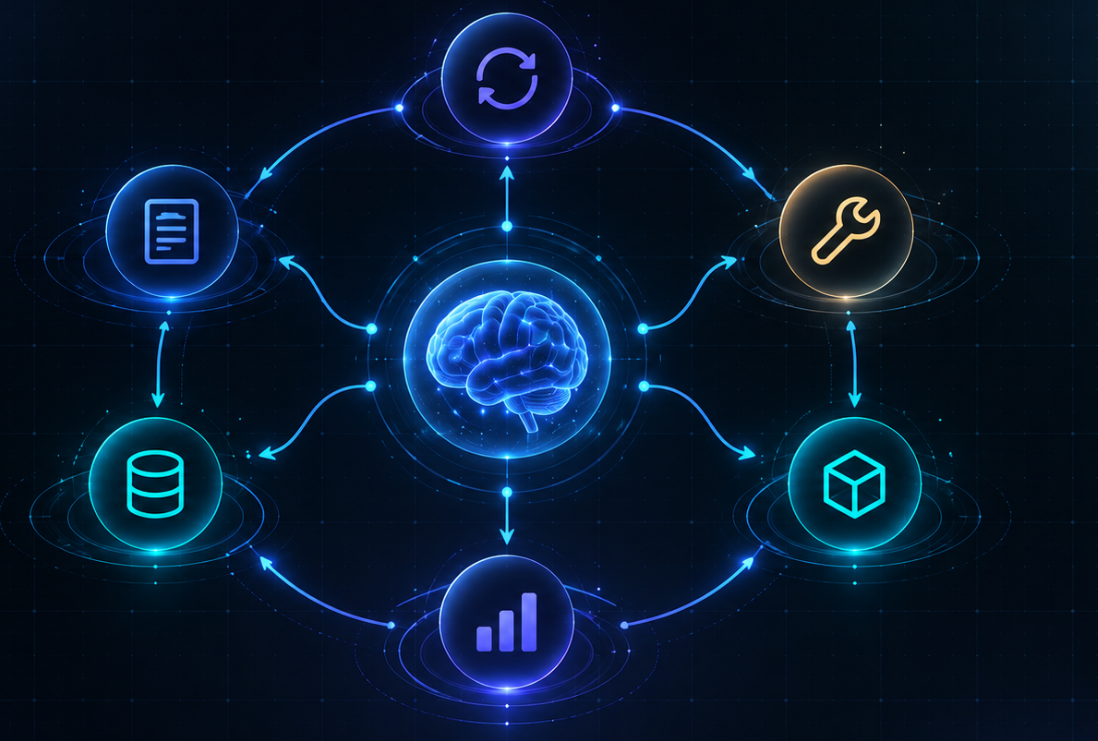
Calling an LLM through an API does not automatically create an agent. A model essentially takes input, generates output, and stops. If you want it to read files, run code, work through multi-step tasks, remember what it is doing, and verify its own results, you need a software layer around the model. That layer can be called an agent harness.
A simple way to understand an agent harness is through six core components.
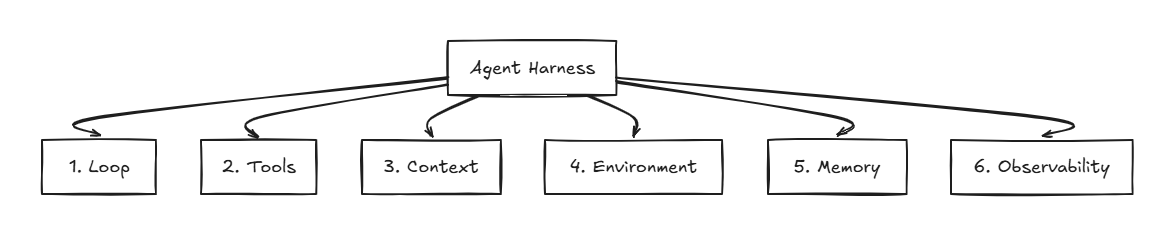
1. Loop — the orchestrator
The loop is the mechanism that decides what the agent should do next and when it should stop.
A normal chatbot works roughly like this:
User → Model → Answer
An agent works differently:
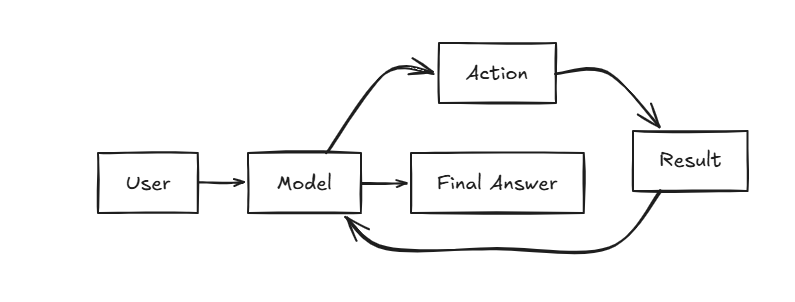
For example, a coding agent may receive a bug-fixing task, read a file, modify the code, run the tests, see that they fail, make another change, and run the tests again.
That entire sequence exists because of the loop.
In short, the loop turns a single model call into a multi-step working process.
2. Tools — what can the agent do?
A tool is a capability that the harness allows the model to request.
For example:
- read_file(path)
- edit_file(path)
The model does not directly access the filesystem or database. Instead, it emits a tool call. The harness executes that action and returns the result to the model.
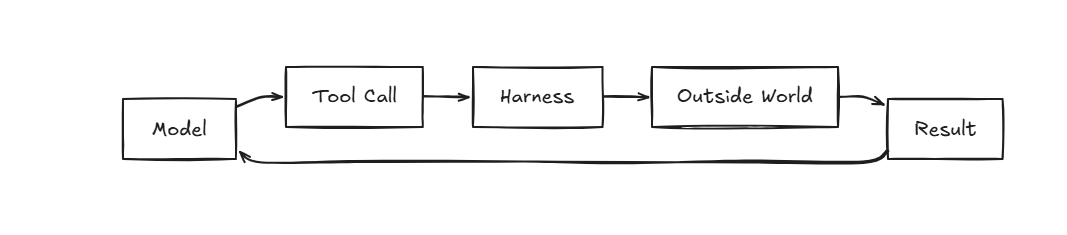
Tools are what give the model the ability to do something beyond generating text.
3. Context — what can the model see right now?
Context is all the information available to the model during the current inference step.
Context may include:
- Prompts
- Conversation history
- Attached documents
- Tool results
- Relevant files
- Retrieved information
- Relevant memory
Not everything the system knows should be placed into the context.
For example, if a command generates 50,000 lines of logs, sending all of them to the model would waste a large part of the context window. A better approach is to save the full log to a file, give the model the important errors, and provide a reference so it can read more if needed.
This is the basic idea behind context engineering: not “put as much information as possible into the prompt,” but give the model the right information for the current step.
4. Environment — where can the agent act?
The environment is where tools actually run and where the boundaries of the agent are enforced.
For example:
read_file → filesystem query_db → database bash → shell python → runtime
Tools define what the agent can do.
The environment defines where it can do it and how far that capability can reach.
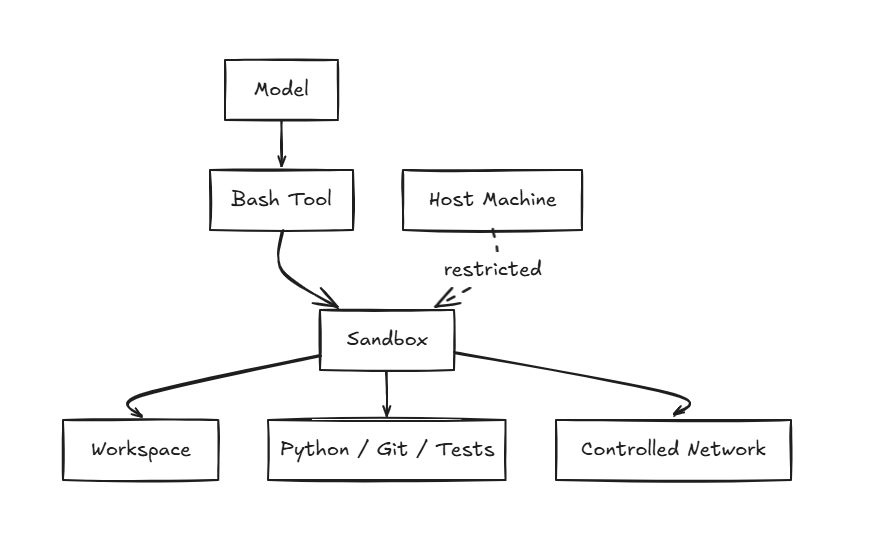
This is also where hard constraints should be enforced.
Instead of simply prompting:
“Do not delete system files.”
it is much safer if the agent has no permission to access those files in the first place.
5. Memory — what should survive over time?
Memory is state that is preserved so the agent can use it later.
Memory and context are not the same thing:
Memory = what the system keeps. Context = what the model can see right now.
But not everything should become memory.
If the project structure can be reconstructed from the filesystem, read it from the filesystem. If a change can be recovered from Git history, use Git.
Memory should mainly preserve durable facts, decisions, preferences, and task state that will still be useful in future sessions.
For example:
The project uses pytest. The team decided not to use Redis. Authentication migration is complete. The payment module is still in progress.
A new session does not need the entire previous conversation. It only needs enough durable state to understand where the work currently stands.
6. Observability — what did the agent actually do?
Observability is the layer that allows engineers to inspect and measure the agent's behavior.
For example, we may want to know:
Which model was called? Which tool was executed? What arguments were passed? How long did the tool take? How many tokens were used? At which step did the task fail?
A trace might look like this:
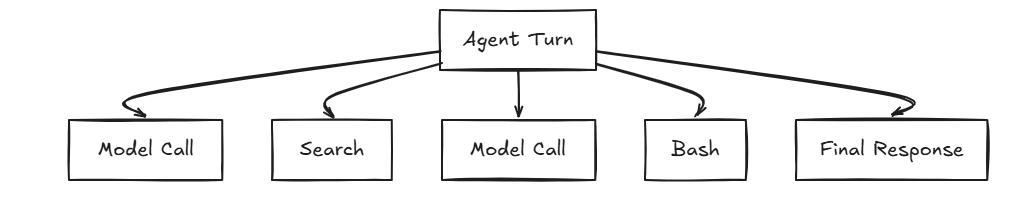
Without observability, we may only know that the task failed.
With observability, we can see whether the model selected the wrong tool, a command failed, retrieval returned the wrong information, or the agent became stuck in a loop.
Putting the Six Components Together
The six components connect like this:
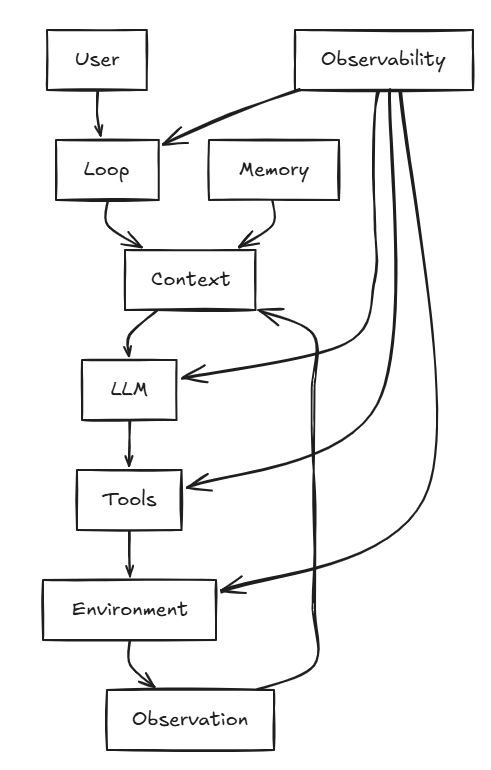
Reading the diagram from top to bottom: the Loop orchestrates the process. Context gives the model the information it needs. The model chooses a Tool. The tool runs inside an Environment. The result comes back into the context so the model can decide what to do next.
Memory preserves useful state beyond a single session, while Observability watches and measures the entire process.
At this point, it becomes clear that the model is only one part of an agent.
Two products can use exactly the same LLM and still behave very differently because their harnesses are different.
So when an agent performs poorly, before immediately switching to a stronger model, it is worth asking six questions:
Is the loop working correctly? Are the right tools available? Is the context noisy or incomplete? Does the environment provide the right capabilities and boundaries? Is memory preserving the right state? And do we have enough observability to understand where the system is failing?
That is the core idea behind Harness Engineering.